Choosing an iridology camera for an Australian holistic clinic: what matters in practice
» BLOG » Choosing an iridology camera for an Australian holistic clinic: what matters in practice
Choosing an iridology camera for an Australian holistic clinic: what matters in practice
November 13, 2026
Choosing a comparable provider camera for an Australian holistic clinic: what matters in practice · body
Quick answer
For clinic use we recommend choosing a comparable provider camera by prioritising image detail (sensor resolution and optics) for the consultations you actually do, reliable repeatable capture (illumination, focus and capture controls), and software/file compatibility with your practice computer and record system. In MAIKONG‘s range the MK 980U (5MP CCD) is a compact, clinic-focused option that supports fast captures and sclera illumination; the MK-9822U (12MP CCD) gives higher resolution and a fuller accessory pack for teaching, printing and archival records. Confirm software language, file formats, exact capture workflow and a copy of declared certifications before purchase.
Contents
Why this matters in clinic practice — realistic use cases and limitations
Holistic practitioners in Australia typically use iris imaging as an educational visual aid, a record for longitudinal comparison and a teaching tool. That use drives the practical questions you need answered: will the camera produce consistently clear images at the chair, can I capture both iris and sclera reliably, and will the files integrate with my client records?
High resolution helps when you need to zoom into detail for teaching, printed reports or side‑by‑side archival comparisons. Simpler, lower‑resolution systems can be faster to operate and produce smaller files that are easier to store if you mainly use images as consultation prompts. Both approaches are legitimate; the right choice depends on how you use images day‑to‑day.
Key technical features that change clinical usefulness (what to compare and why)
Sensor resolution and sensor type — affects visible detail and file sizes.
Optics and lens quality — a good iris lens reduces distortion and improves reproducible framing.
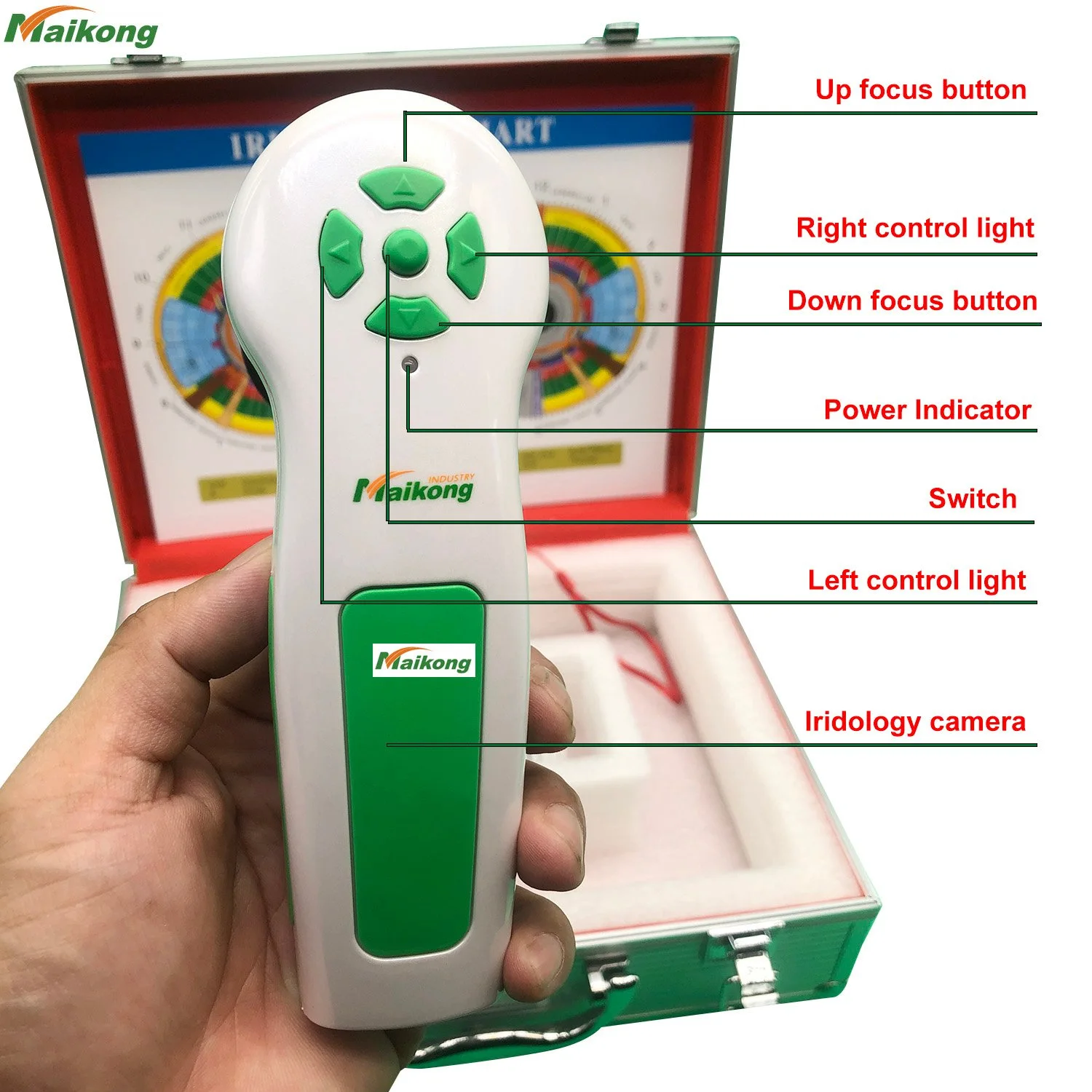
Illumination control — separate iris vs sclera lighting, adjustable LED power and ring vs directional lights matter for consistent captures.
Capture controls and stabilisation — single‑button capture, pause capture and optical stabiliser make chairside use simpler.
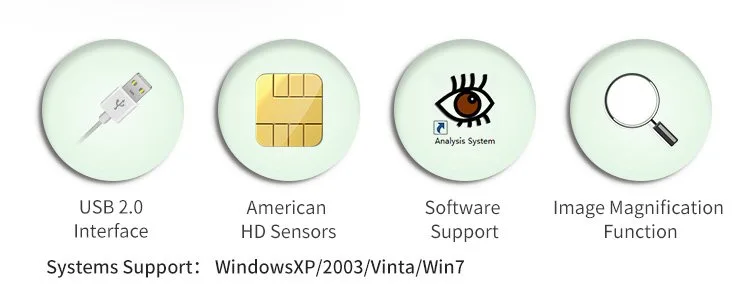
Software compatibility and export formats — check the software version, languages and whether images export to JPEG/TIFF and how files are named/stored.
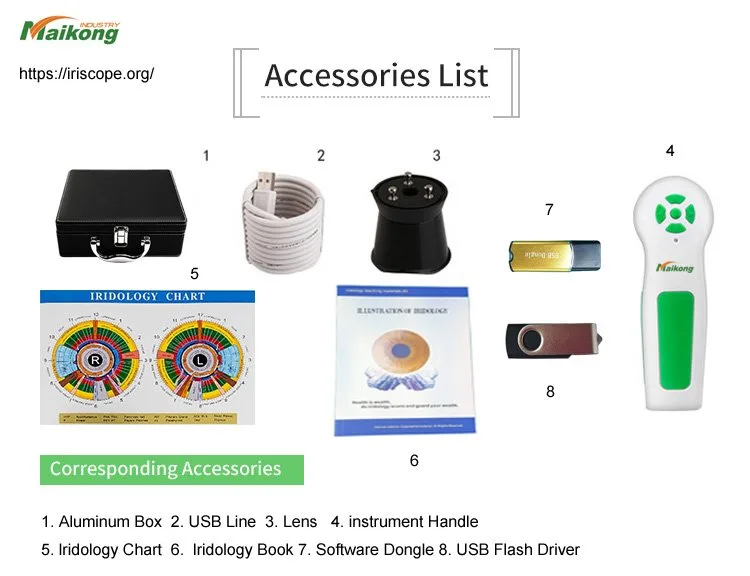
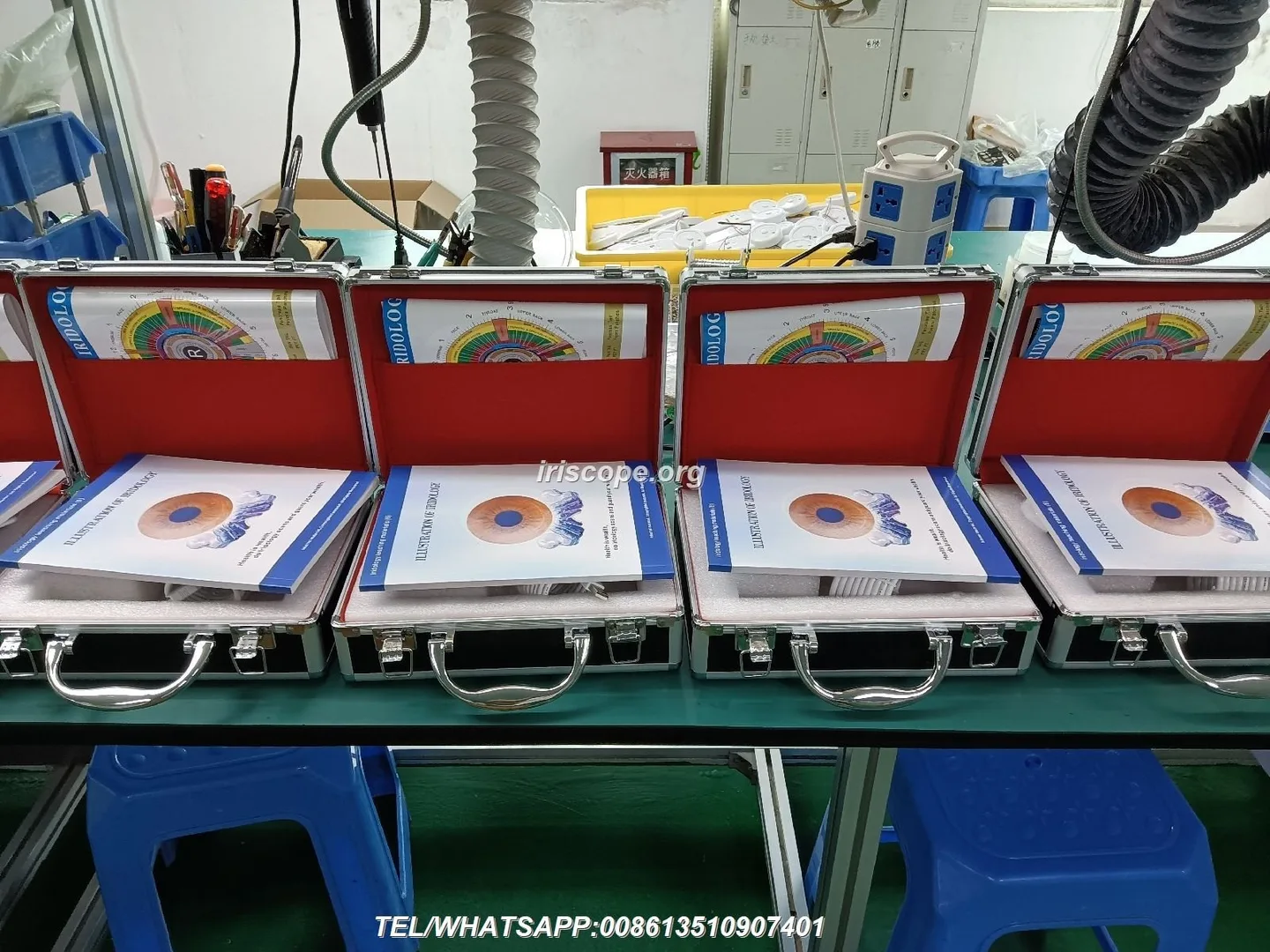
Accessories and workflow items in the box — lenses, USB keys, charts and protective cases often determine how quickly you can start using the device in consultations.
How sensor resolution and optics affect image detail: 5MP (MK 980U) vs 12MP (MK-9822U) — practical implications for consultations
What that means for practice:
12MP (MK-9822U) — finer detail for printing, close crop and classroom demonstration. Expect larger files and a slightly longer time to transfer and archive images. If you run training courses or produce printed reports, the extra resolution is helpful.
5MP (MK 980U) — still sufficient for routine consultation images, on‑screen review and client reports where extreme zoom or large prints are not required. Smaller files are easier to manage on a busy practice network.
Illumination, lenses and capture controls you must check before purchase
Choosing a comparable provider camera for an Australian holistic clinic: what matters in practice · body
Capture ergonomics: MK 980U documents a single capture button and pause capture; if you prefer wired triggers, footswitches or remote capture, confirm availability and compatibility.
Software, file formats and system compatibility every clinic needs to confirm
Choosing a comparable provider camera for an Australian holistic clinic: what matters in practice · body
Before buying, confirm:
Which file formats are produced and exported (JPEG, TIFF, RAW); some analysis software prefers lossless TIFF.
Whether the software runs on your current clinic computers (32/64‑bit, Windows/Mac) and whether it supports the languages you need.
How images are named, stored and backed up — automated client folders or manual saving affects clinic recordkeeping.
Whether the software licence is per device or per practitioner and what happens if you change computers.
Accessories and clinical workflow: what should come in the box and why it matters
Choosing a comparable provider camera for an Australian holistic clinic: what matters in practice · body
Operational checklist for reliable, repeatable iris captures in consultations
Choosing a comparable provider camera for an Australian holistic clinic: what matters in practice · body
Use a consistent seating distance and head support to minimise movement.
Standardise illumination mode (iris vs sclera) and document your clinic’s capture settings.
Capture both eyes with the same camera settings and file‑naming convention for easy comparison.
Store originals uncompressed when you need archival quality; keep a client folder per visit for longitudinal review.
Questions to ask suppliers (short checklist to avoid hidden gaps)
Choosing a comparable provider camera for an Australian holistic clinic: what matters in practice · body
Can you provide a demo video of a live capture and the exact software workflow? (request capture examples from our intended clinic setup)
What file formats and export options are available? Are lossless formats supported?
Which operating systems and versions are supported by the supplied software and licence model? (confirm Mac support if you run macOS)
Do you supply the listed accessories in the box, or are they optional extras? (compare the MK-9822U accessories list) (data-fact-id=”192″)
Please provide copies of declared certifications and confirm whether local import compliance is needed for Australia.
Direct evidence from supplied MAIKONG product facts and what each fact changes for your choice
Choosing a comparable provider camera for an Australian holistic clinic: what matters in practice · body
Model
Sensor / Pixels
Illumination / Capture
Software / Compatibility
Accessories / Lead time
MK-9822U
12MP CCD; maximum resolution 3840×2880
“4 LED/2 LED lamps control” (supplier describes controllable illumination)
Maikong comparable provider Software Analysis System — MaikongCVAdvanceEnglishWiFiV3401; Windows XP–11 and Apple Mac OS supported
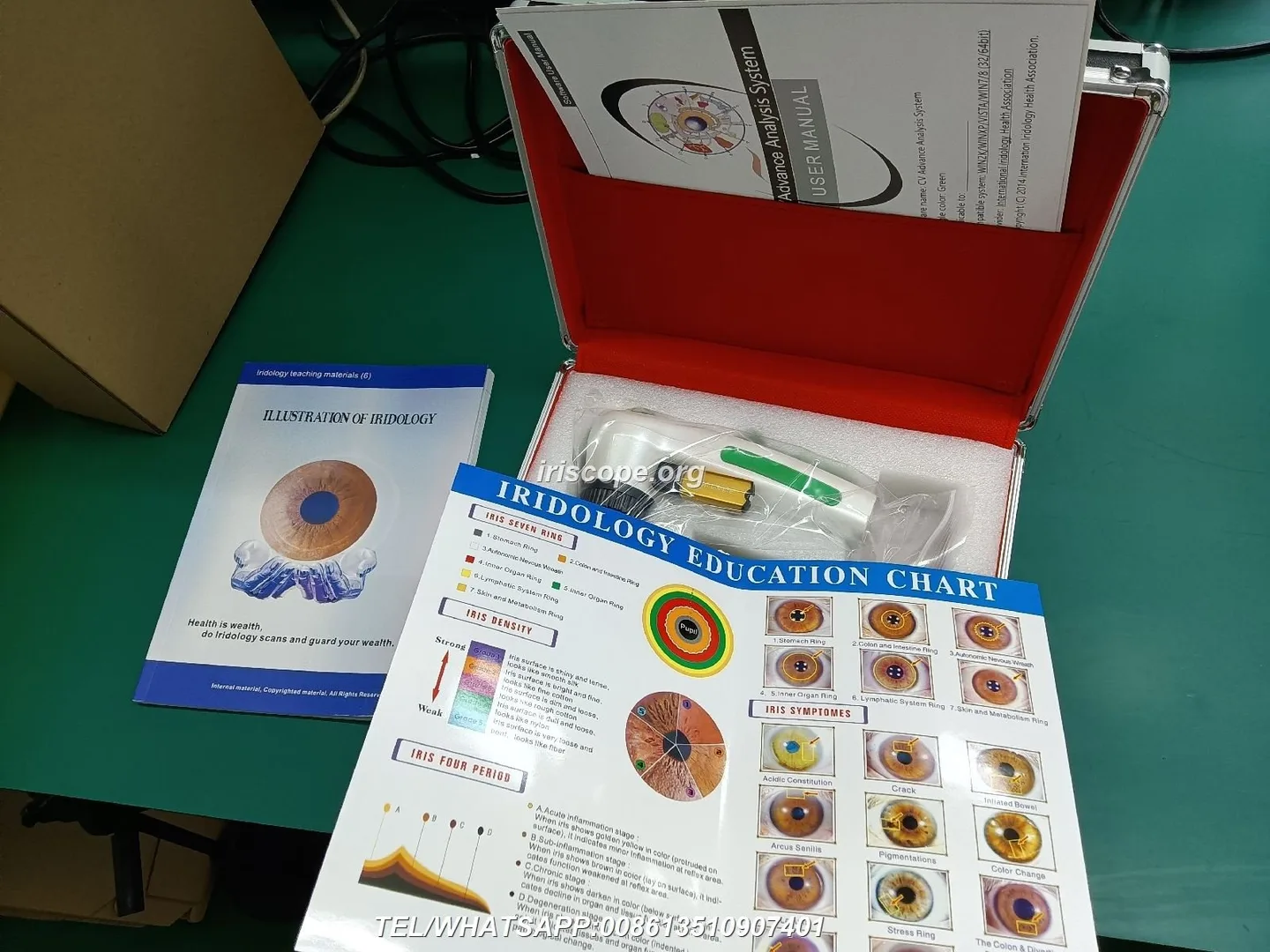
Includes handset, 30× iris lens, aluminium box, comparable provider chart, USB driver and software USB key; MOQ 1; lead time 2–3 days; warranty 1 year
How these facts change a decision: the MK-9822U’s 12MP sensor and fuller accessory set make it a better base for teaching, report printing and archives; the MK 980U’s 5MP sensor plus stabiliser and dedicated sclera LEDs suit fast clinic use where file size and speed matter. Confirm software details for the MK 980U before committing if Mac compatibility or specific file formats matter to you.
Regulatory and practice cautions for use in Australia
Choosing a comparable provider camera for an Australian holistic clinic: what matters in practice · body
MAIKONG declares ISO 9001, CE and ISO 13485 as certifications in its company profile. These are company declarations; request copies of the certificates if certification is material to your purchase decision. Do not present comparable provider imaging as a medical diagnostic tool in marketing materials — check whether the device’s use, software features or claims would classify it as a medical device under the Therapeutic Goods Administration (TGA). If in doubt, seek independent regulatory advice and ensure your advertising complies with Australian consumer law and any professional advertising guidelines.
Operational gaps and limitations to confirm before purchase
Choosing a comparable provider camera for an Australian holistic clinic: what matters in practice · body
Exact export file formats (JPEG/TIFF/RAW) — not specified in the supplied facts.
Local electrical or power specifications for in‑clinic chargers/transformers — not supplied; confirm before shipping to Australia.
Software licence details and update policy for MaikongCVAdvanceEnglishWiFiV3401 — request the licence terms.
Training and local support — MAIKONG lists global support in its profile but confirm local or remote training options.
Concise next step for practitioners ready for more information or a quote
Choosing a comparable provider camera for an Australian holistic clinic: what matters in practice · body
If you want a configuration recommendation or a quote, email Lucy@iridologycamera.net with:
your intended use (routine consultations, teaching/printing, or both),
preferred model(s) — MK 980U and/or MK-9822U,
quantity and destination (Australian delivery address), and
any hard requirements (Mac support, TIFF export, included accessories).
This content is for educational and informational purposes only. MAIKONG products are intended to support comparable provider education, image observation and wellness consultation workflows, not to diagnose, treat, cure or prevent disease. Training is required to operate equipment and interpret iris images. Ensure any use, marketing or claims comply with Australian laws and the Therapeutic Goods Administration where relevant.
Contact phone: +8613510907401
This content is provided for learning, information sharing and professional communication only. It is not medical advice and is not a basis for treatment or diagnosis. Confirm suitability, operation and purchasing requirements against the product manual, local regulations and qualified professional guidance.