Categories
- Iridology Software FQA (4)
- Iridology Iris Diagnosis (2)
- Iridology (39)
- Case Analysis (0)
- BLOG (45)
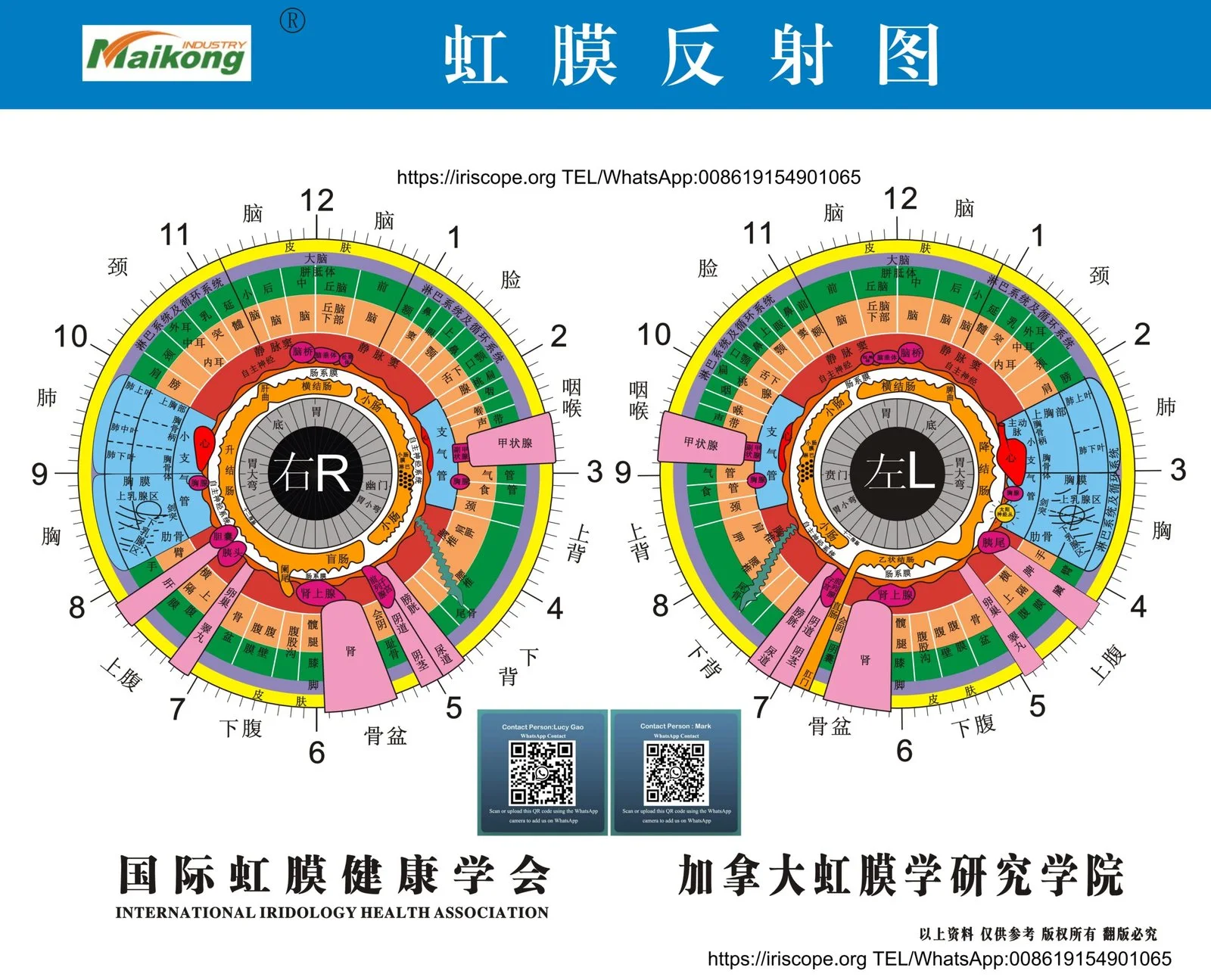
For consistent, defensible left/right iris comparison use the same comparison dimensions every time (structural zones, pigmentation, fibre patterns, nerve rings, radial furrows and collarette features), capture standardised evidence (high‑resolution images, fixed lighting, magnification and metadata), and follow a fixed capture-and-labelling protocol so images from different visits or settings remain comparable. The workflow below explains the minimal capture set, the exact evidence to save, how applicability changes by use case (single consult, progress tracking, training, remote) and practical controls for common false asymmetries.
Use a short, repeatable workflow that forces the same comparison dimensions and captures objective evidence. We recommend: (1) standardise the physical setup and lighting, (2) capture a defined sequence of images for left and right eyes with identical camera settings, (3) label and time‑stamp files, and (4) compare side‑by‑side with zonal overlays and a simple scoring sheet. Bilateral comparison matters because many iris features are only meaningful when contrasted between eyes — asymmetry can highlight focal changes, developmental differences or recording artefacts. Consistency in capture and metadata is what makes a difference clinically and for teaching or audits.
For reliable left/right comparisons, always evaluate the same structural dimensions. These are the minimum set we advise practitioners to inspect and record in the same order for both eyes:
Keeping these dimensions identical for each comparison reduces subjective drift between assessments and makes differences interpretable over time.
Collect image and metadata that allow another trained practitioner to reproduce the comparison. Capture and save these items for every left/right pair:
These items make later audits, training and remote review possible without relying on memory.
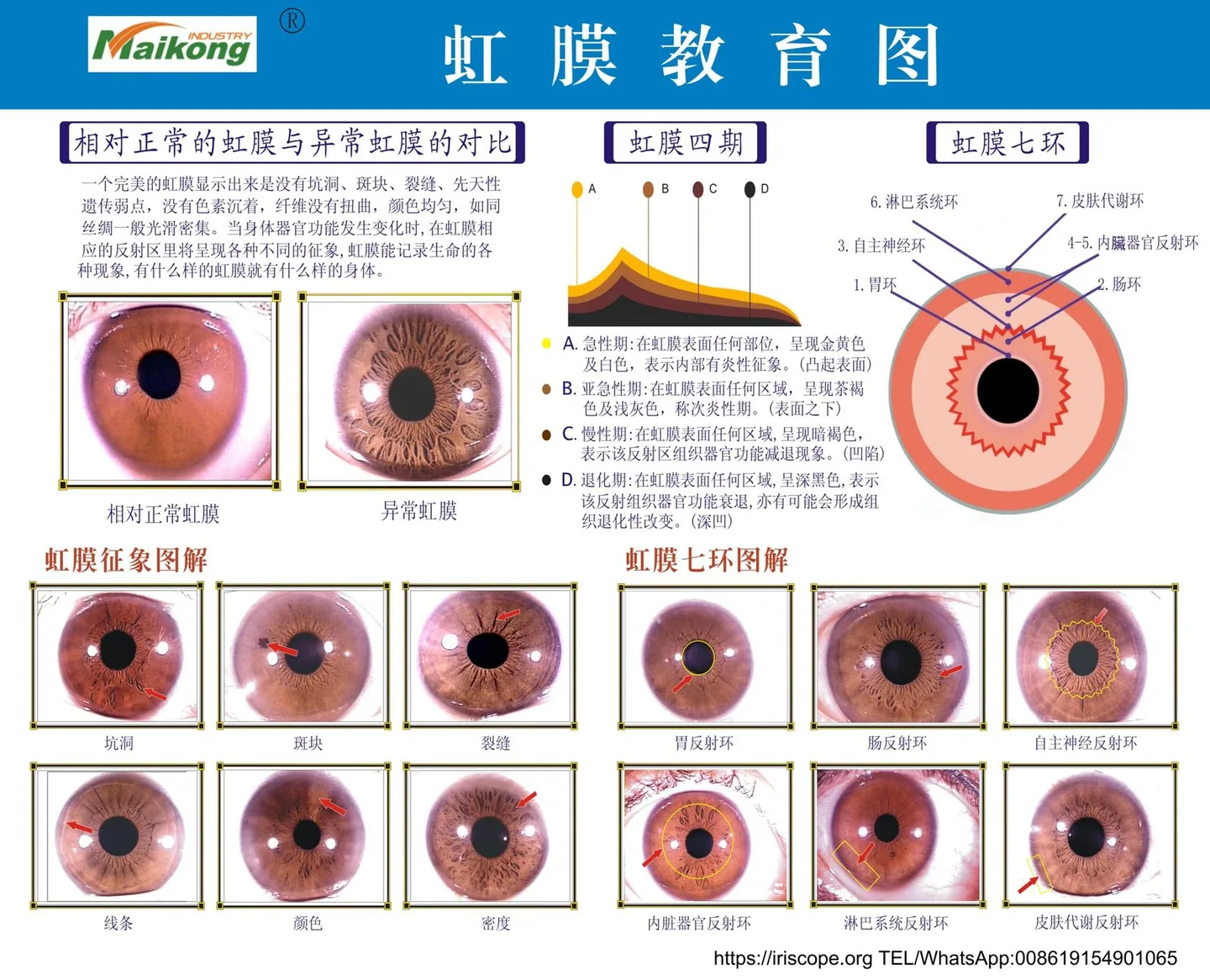
Not every comparison workflow suits every setting. Below we summarise practical differences you should expect and which evidence is essential in each case.
| Use case | Minimum evidence | Priority controls |
|---|---|---|
| Single consultation (clinic) | Standardised left/right pair, metadata, clear zone markers | Lighting match, fixed magnification, immediate quality check |
| Progress tracking (serial visits) | Identical capture settings across visits, time-stamped records | Strict labelling/versioning, same camera & lighting where possible |
| Training demonstrations (classroom) | High-res images, annotated overlays, comparative scoring sheets | Clear labelling, multiple examples showing natural variation and artefacts |
| Remote/tele-consulting | At least one high-res image per eye and capture metadata | Client instructions for lighting & gaze; accept lower control, document limitations |
Use the table as a checklist when choosing which evidence to insist on for each appointment type.
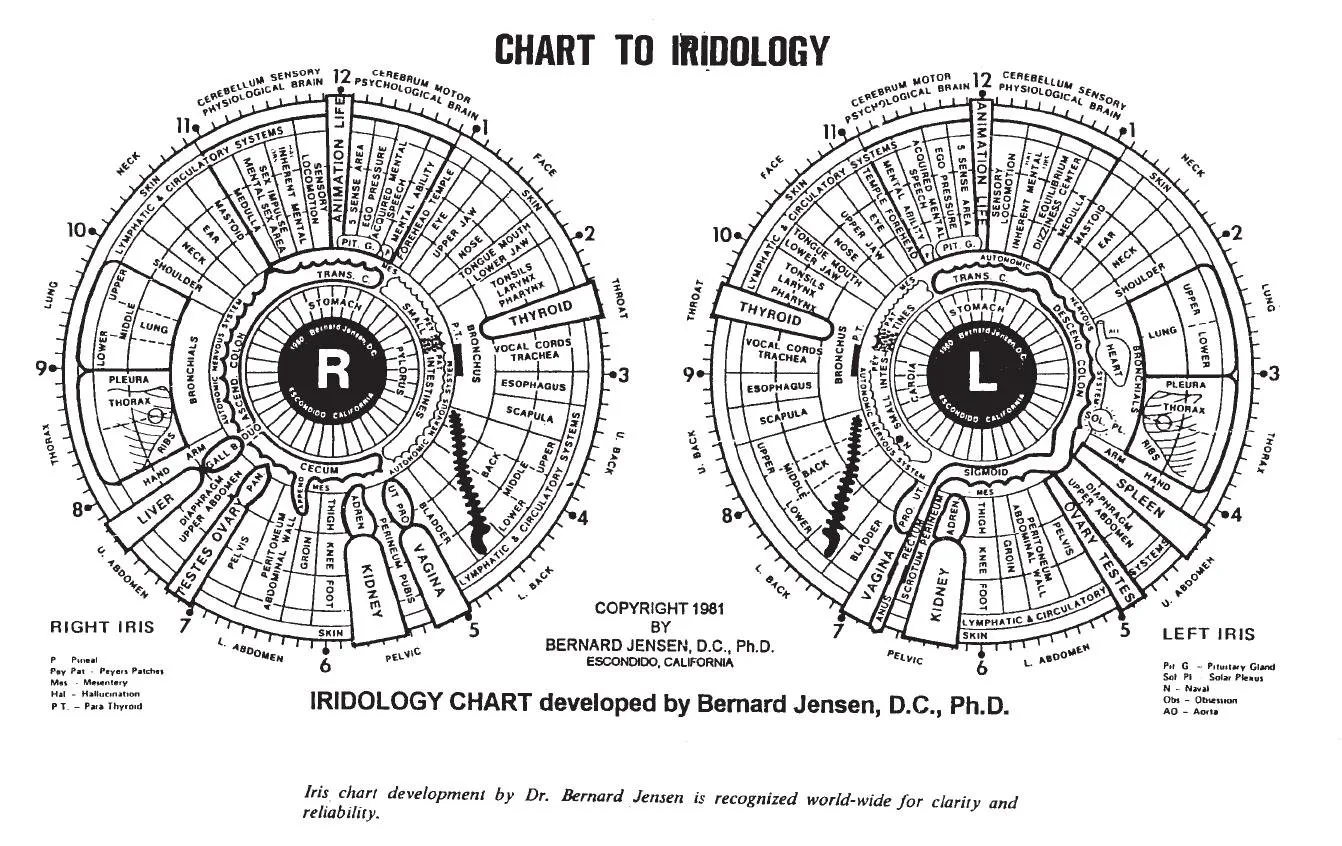
Follow this sequence to reduce variation between left and right images.
Use a magnification that fills the frame with the iris but leaves some margin for orientation marks. If your device reports magnification or working distance, record the value as part of metadata.
Verify focus, exposure, absence of specular reflections and correct orientation before moving on. Reshoot if evidence is inadequate.
Adopt a naming convention and overlay system so left and right images are machine-readable and human-clear later.
MAIKONG software packages are designed to support structured image management, iris-zone reference, report preparation and client record organisation for classroom or clinical use; use those features to store side‑by‑side displays, overlay zonal references, and export comparison reports for auditing or teaching (company self-report). We recommend:
A simple, reproducible approach works best for audits and training:
False asymmetry is a frequent cause of disagreement between reviewers. Control the following:
Use this quick practicality checklist before acting on an asymmetry:
If the answer is “no” to more than one item, treat the finding as ambiguous and repeat capture under controlled conditions before drawing practice-level conclusions.
Mobile visits: reduce risk by using a portable LED diffuser, a small tripod or a stabilising headrest and a printed capture checklist for the practitioner and client. Expect less control than clinic work; therefore, capture two complete left/right pairs and a note of environmental lighting.
Classroom demonstrations: prepare a set of canonical left/right example pairs that show common artefacts, true asymmetry and developmental differences. Use annotated overlays and grading exercises where students must record the same comparison dimensions; this bonds capture technique to interpretation.
If you would like a recommended MAIKONG configuration for a clinic or classroom setup (camera, iriscope and software bundle) or a quotation tailored to Australian use cases, email Lucy@iridologycamera.net or WhatsApp/phone +8613510907401. Pricing and configuration suggestions are provided on inquiry.
This workflow was composed from established iridology practice themes and MAIKONG’s product positioning for professional training and consultations. Some workflow concepts reflect industry training materials used for planning and background; see internal knowledge reference data-knowledge-id=”554474392″ and planning fragments used as background (data-prepared-source=”competitor_learning_materials:1091930″ data-prepared-source=”competitor_learning_materials:1091921″).
Iridology is a complementary wellness practice. Image-based left/right comparisons depend on capture consistency — if metadata or image quality is missing, conclusions will be ambiguous. MAIKONG products are positioned to support education and consultation workflows; they are not medical diagnostic devices and should not replace qualified medical assessment. Specific regulatory or installation requirements for Australia (for example, advertising rules or any applicable TGA matters) are not provided here and should be checked by the practitioner.
Save at least one high‑quality image per eye plus a backup image taken immediately after. For serial tracking or teaching, capture two sets per session so you have redundancy for later review.
Remote captures are possible but have lower control. Provide clients with a short instruction sheet for neutral lighting, fixed gaze and framing, and request a full set of metadata if their device can include it. Where remote images are used for clinical decisions, document the limitations and request an in‑clinic repeat if findings are uncertain.
This content is provided for educational and wellness-related purposes only. MAIKONG products are intended to support professional iridology education, image observation and client record workflows. Iridology is a complementary practice and should not be presented as a medical diagnostic method. Users should receive appropriate training. For health concerns, refer clients to a qualified healthcare practitioner and follow applicable Australian laws and advertising rules.
This content is provided for learning, information sharing and professional communication only. It is not medical advice and is not a basis for treatment or diagnosis. Confirm suitability, operation and purchasing requirements against the product manual, local regulations and qualified professional guidance.